
NEKO vs EveryDollar

The EveryDollar alternative that plans around payday for free

NEKO is a free budgeting app for iPhone, iPad and Android that projects your balance for every day ahead from the bills and paychecks you add. Pick it over EveryDollar if you want to plan around payday without paying for Premium, or if you pay with credit cards.

Download on the App StoreGet it on Google Play
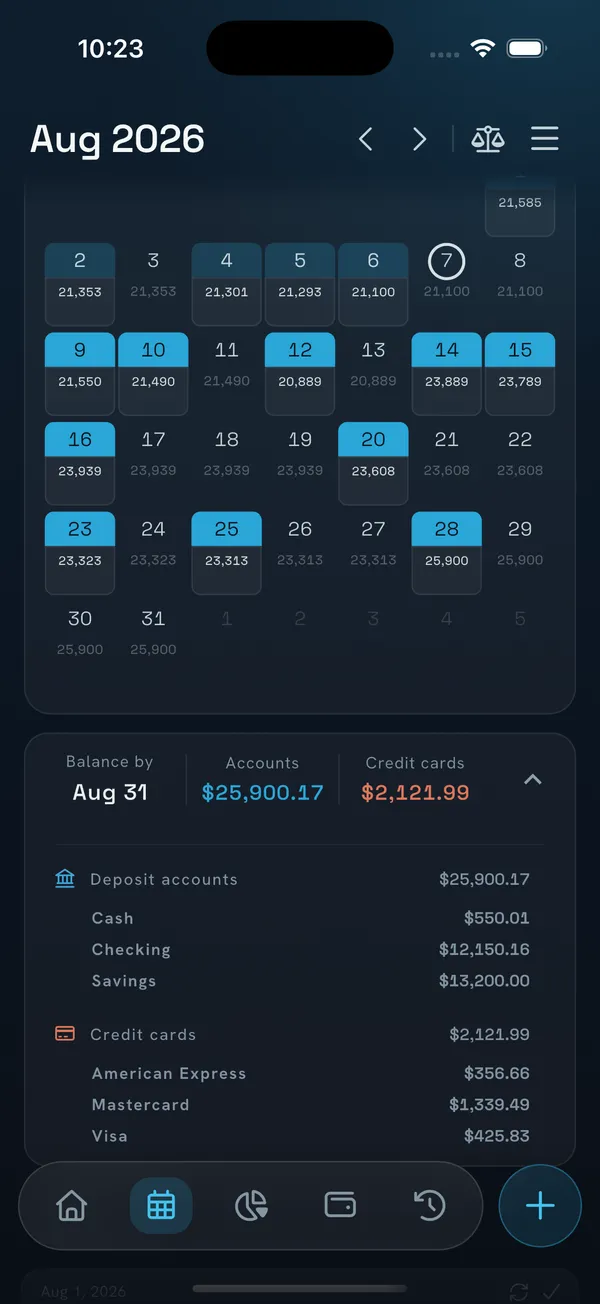
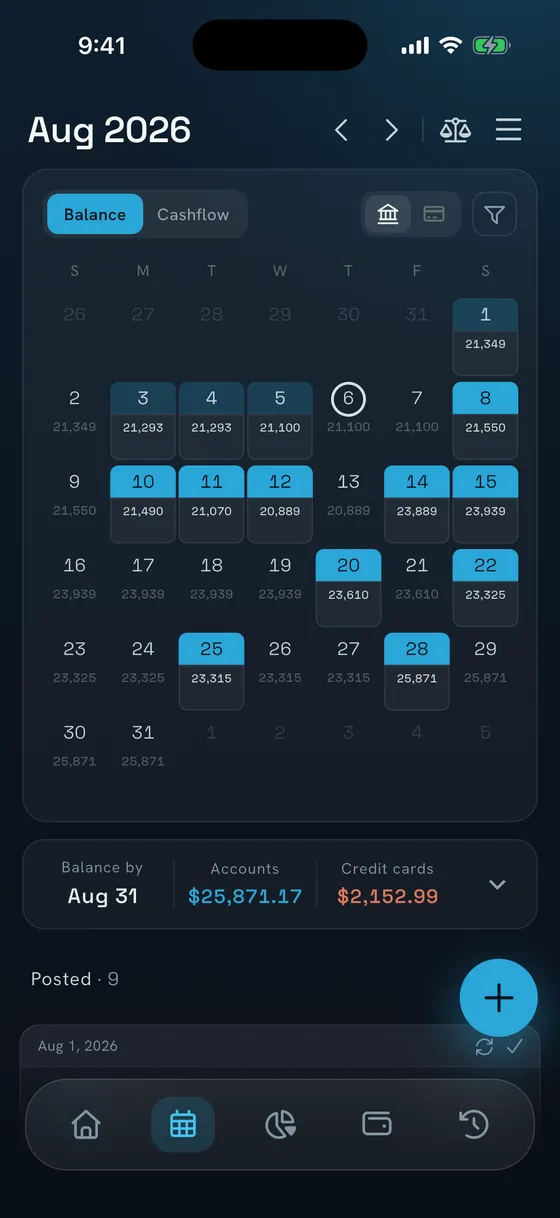
NEKO calendar for August with a projected balance under every day, and the balance on August 31 broken down by account and credit card.

Choose NEKO if

  • You want to know what's safe to spend before payday without paying $79.99 a year.
  • You juggle several credit cards and want the amount that avoids interest worked out for you.
  • You have installment plans and want each payment on the right card statement.
  • You want loan balances that update with every payment.

Stay with EveryDollar if

  • You want a zero-based budget with Ramsey's coaching and financial roadmap.
  • You budget with a partner and want to share one budget today.

NEKO and EveryDollar side by side

EveryDollar details as of October 15, 2026.

FeatureNEKOEveryDollar
What's safe to spendYesSafe to SpendYesPaycheck PlanningPremium
Balance on any future dateYesEvery day on the calendarNot documented; Premium projects net worth
Warning before an account goes below zeroYesDays aheadNot documented
Credit card statementsYesClosing day, due date and the amount that avoids interestPremiumPartlyCarried balance entered as a debt
Installment plansYesEach payment on the right statementPremiumNot documented
Loans you oweYesPrincipal, interest and payoff datePremiumPartlyDebt snowball; balances updated by handPremium
Money you lentYesLoans Out: balance and payments receivedPremiumNot documented
PDF bank statementsYesReads them; you review before savingPremiumNot documented
Use without signing upYesData stays on your phoneNoAccount required
BillsYesOn the calendar with remindersYesDue dates with reminders
Free planYesNo time limitYesBudget and manual tracking, no time limit
PricePremium is $39.99/yrPremium is $79.99/yr or $17.99/mo
Zero-based budgetingPartlyCategory limits, any reset dayYesThe core method
Automatic bank importNoYou enter transactions or upload statementsYesBank connectionPremium
Web app and shared budgetsNoComing soonYesIn the browser, with a partner

Two ways to plan a month

EveryDollar is built on the zero-based budget. NEKO starts from your balances and the bills and paychecks you add, and shows what you’ll have on each day ahead.

EveryDollar asks where each dollar should go this month. NEKO tells you what you’ll have on the 28th, after rent and the card payment.

Both apps can plan around payday. In EveryDollar that takes Premium. In NEKO, the calendar and Safe to Spend are free.
Know what's safe to spend before payday

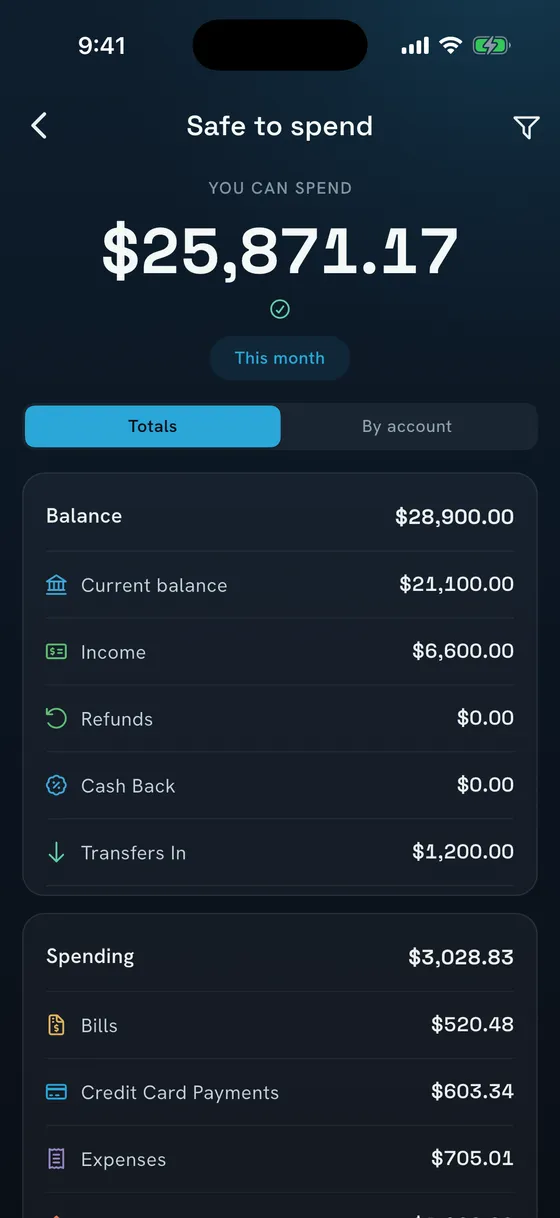
Safe to Spend is your balance minus everything already promised: upcoming bills, card payments and transfers.

Check it for this month, the days before payday or any date you pick. It also sits on a home screen widget, and on iPhone you can ask Siri.

In EveryDollarIn EveryDollar's Paycheck Planning, you assign bills to paydays, with an optional Safe to Spend step. It's part of Premium.

NEKO Safe to Spend screen showing the amount you can spend this month, with the balance, income and spending that make it up.

See your balance on any future date

Every day on NEKO's calendar shows a projected balance, worked out from your accounts and every scheduled bill, paycheck, card payment and transfer.

If a payment would push an account below zero, NEKO warns you days ahead, while there's still time to move money.

In EveryDollarEveryDollar Premium projects your net worth. Its help center doesn't describe a balance for each day ahead.

NEKO calendar in balance view, with the projected balance under each day of August and the totals for August 31.

Credit cards: plan around the statement

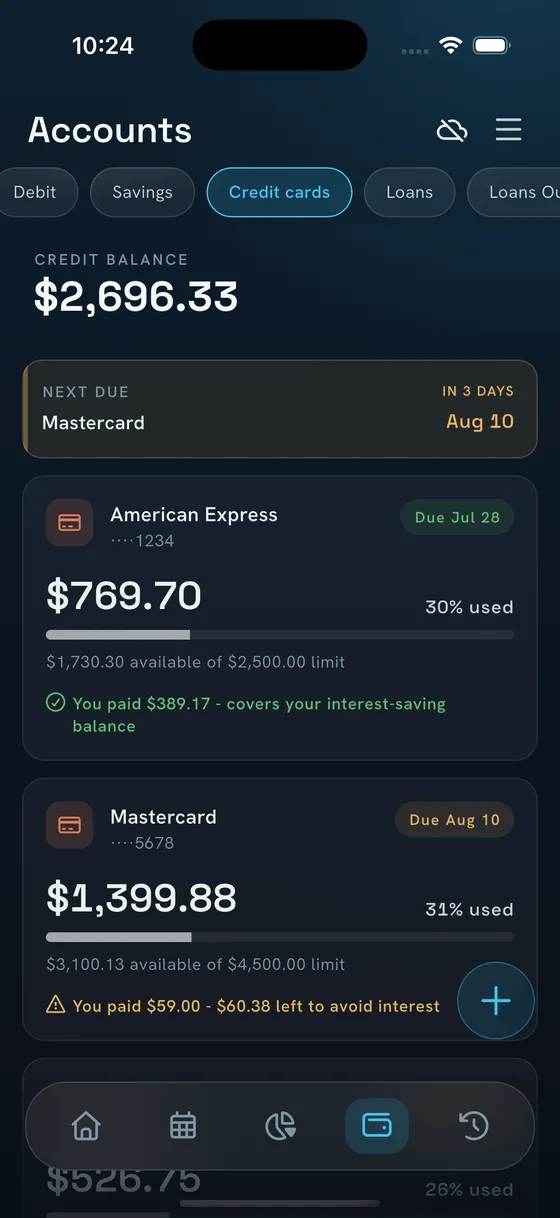
Enter the closing day and due date. NEKO shows what lands on each statement and the amount that avoids interest, then reminds you before it's due.

It can schedule the payment, so the calendar already counts it. Credit card statements are part of Premium.

In EveryDollarEveryDollar's help center says it wasn't designed for paying expenses with card debt. If you pay in full, it suggests logging purchases; if you carry a balance, entering the card as a debt.

NEKO credit cards view with the next due date, the amount used on each card, and how much is left to pay to avoid interest.

Loans that update with every payment

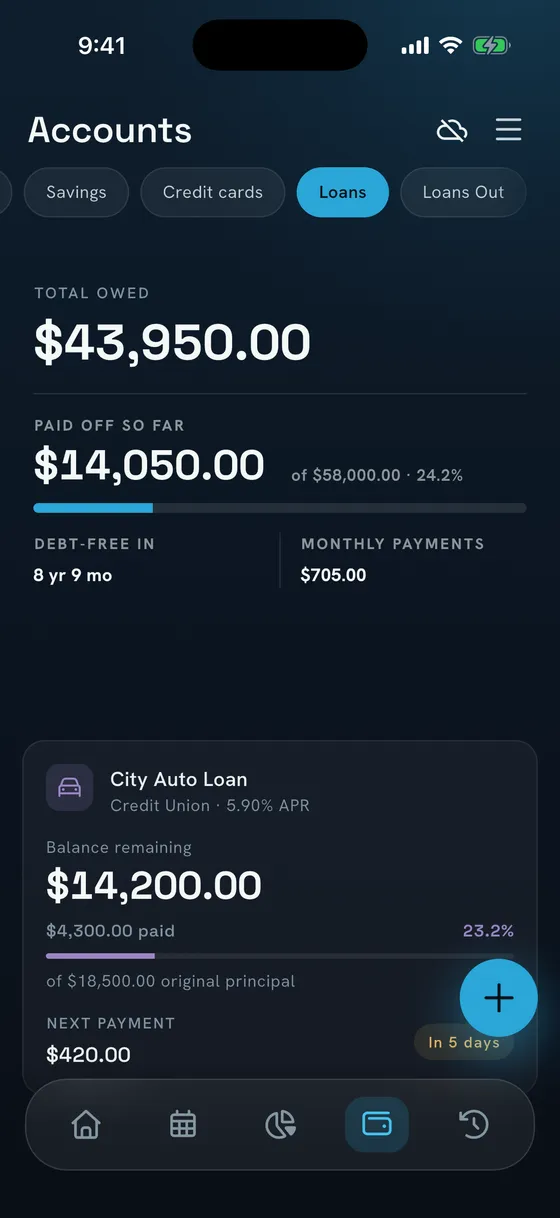
Add a loan with its rate and term. NEKO splits every payment into principal and interest, keeps the balance current and shows your debt-free date. Preview an extra payment to see how much sooner you finish.

Installment plans land on the card statement they belong to, and Loans Out tracks money you lent. Loans, installment plans and Loans Out are part of Premium.

In EveryDollarEveryDollar Premium's debt payoff tracker lists debts from smallest to largest for the debt snowball. Debts aren't linked to accounts, so you update each balance by hand.

NEKO loans view with the total owed, the amount paid so far, the time left until debt-free, and the remaining balance of a car loan.

A budget that resets on payday

Set a monthly total, split it across categories, and a meter shows how much is left to assign. The budget can reset on any day of the month, such as your payday.

Category limits

Each category shows what you've spent and what's left, and flags it when you go over.

Scheduled spending counts

Bills already on the calendar can count toward each category before they're paid.

No account needed

Keep your data on your phone, or sign in with Apple or Google to sync your devices.

In EveryDollarEveryDollar is built on the zero-based budget: you give every dollar a job before the month starts.

What each app costs

NEKO

Free

no time limit

  • Includes accounts, bills, budgets, the calendar, Safe to Spend, widgets and sync
  • Premium: $39.99 a year or $6.49 a month in the US
  • Premium adds credit card statements, installment plans, loans and Loans Out, statement import, CSV export and backups
  • The founder answers support email himself

EveryDollar

$79.99

a year for Premium, or $17.99 a month

  • 14-day free trial for new users
  • Free version: budget, manual transactions, due dates and sinking funds
  • Premium adds bank connection, Paycheck Planning, the debt payoff tracker and reports

How to switch from EveryDollar

  1. 01

    Add your accounts

    Install NEKO and enter today's balance for each account and card.

  2. 02

    Add bills and paychecks

    Set your paydays and bills once. They fill the calendar and the Safe to Spend number.

  3. 03

    Bring in history if you want it

    Upload your bank's statements with statement import (Premium) and review them before they're saved.

Common questions

Can I try NEKO without leaving EveryDollar?

Yes. EveryDollar has a free version, so you can keep it while you run NEKO with the same bills, and switch once NEKO fits how you plan.

Can I bring my EveryDollar data?

EveryDollar Premium exports your budget data as a CSV file, so keep it as your record. NEKO starts from today's balances, and statement import (Premium) brings in your bank history.

Does NEKO work offline?

Yes. Most features work without internet, and if you sign in, your data syncs when you're back online. Statement import needs a connection.